Your cart is currently empty!
Author: eldrapp
Power of Attorney (POA): Everything You Need to Know
One of the most important tools for making sure our parents financial and medical needs are handled smoothly is a Power of Attorney, or POA. This legal document allows someone your parent trusts to make decisions and act on their behalf if they become incapacitated. Below is everything you need to know about Power of Attorney (POA).
Key Takeaways:
- Having a POA means you can step in to access medical records and make health and financial decisions on an aging parent’s behalf.
- A Durable POA (DPOA), rather than a general POA stays in effect if your parent becomes incapacitated.
- DPOA templates can be downloaded online free of charge by searching your state + POA. Note that your state may require separate forms for health and financial matters.
- The POA must be signed by both parties as well as witnesses or a notary.
- Without a POA you will need to become a court appointed guardian to legally help.
Why is the POA such a big deal?
Obtaining a signed POA is a simple yet crucial step in helping an aging parent. A POA ensures you can legally step in on your parent’s behalf to:
- access medical records and make healthcare decisions
- handle financial matters such as paying bills, filing taxes or buying and selling real estate
- make long term decisions such as living arrangements or applying for government benefits like Social Security or Medicaid

What happens if we don’t have a POA?
If your parent doesn’t have a POA and becomes unable to manage their affairs, no one—not even family—can legally help without going through the courts to be appointed as a guardian or conservator. This process is lengthy, time consuming and expensive. It also usually happens during an already stressful time!A POA avoids all of that by making sure someone your parent trusts is ready to step in right away.
Two types of POA’s: Standard, Durable
All POA’s let someone (called an agent or attorney-in-fact) act on behalf of another person (called the principal). There are different kinds, but the main distinction comes down to whether or not the authority continues if the principal becomes incapacitated. There are POA’s that solely cover medical or financial decisions but for our purposes we’ll discuss the 2 main types, non-durable and durable.
- Regular Power of Attorney (Non-Durable)
The most important thing to know if that this type of POA is not sufficient for long-term aging or medical planning because it automatically ends if the person becomes mentally or physically incapacitated. It’s the opposite of what you’d need to care for an aging parent. Non-durable POA’s are only used for short-term or specific tasks, like managing someone’s finances while they’re out of the country.
- Durable Power of Attorney (DPOA)
This is ideal for caring for an aging parent because it:
- Stays in effect even if the person becomes incapacitated.
- Allows you to plan ahead for serious illness or cognitive decline.
- Can be created to cover both financial and healthcare decisions.
There’s a third type of POA called a springing POA which “springs into effect” when the principal becomes incapacitated due to illness, injury or cognitive decline. This can be helpful for aging adults who want to preserve independence and don’t need help now (or don’t fully trust their agent). The drawbacks are that proof must be submitted to each of the principal’s doctors, financial institutions, government agencies etc. before you can act on their behalf.
If you’re not sure which POA you have, a Durable Power of Attorney will include language like: This power of attorney shall not be affected by subsequent disability or incapacity of the principal… You can also check with an elder care lawyer.
Where do I get Durable POA? Do I have to have a lawyer?
Your state most likely has a DPOA template you can print out, or you can do an online search for one to download. If the DPOA requires that you sign in front of a notary, you can usually find a notary public at your bank or a mailing and shipping store.
Be sure to use the POA that is specific to your state. Some states require 2 forms; one for financial matters and one for healthcare decisions so be sure to check if 2 forms are needed. Florida for example requires a POA for financial/legal items and then a Designation of Health Care Surrogate for medical and healthcare needs.
Do we need witnesses when we Sign?
Depending on the state in which your parent (the “principal”) resides, yes you both sign the POA, but signing must either be: witnessed by one or two people who aren’t already named as agents or beneficiaries, or witnessed and notarized by a licensed notary public. This helps prevent fraud and ensures the person signing understands the document and is not being exploited.
What do I do with the POA once it is Signed?
- Provide signed copies of the POA to all the organizations with which you might communicate on your parent’s behalf. Banks, financial institutions, doctors, Social Security, Veteran’s Affairs, and insurance providers are common examples.
- Check with each institution to see if you need to provide originals, copies or digital versions.
- Remember to store and keep a copy for yourself.

What If They Don’t Want to Sign?
You can’t force someone to sign a POA. It’s a voluntary legal decision so it’s best to have open, honest conversations to explain why it’s important, especially for their protection and convenience. However, if the person is competent and doesn’t want to sign, you might try suggesting a limited or springing POA. A springing Power of Attorney (POA) “springs” into effect after a specific event occurs—usually the incapacitation of the person. Another option is to involve a trusted doctor, social worker, or religious advisor who can help facilitate trust and clarity.
If the person still won’t sign and they become incapacitated without a POA, and you need to make decisions for them, you will have no choice but to go to court to be appointed guardian or conservator.
What if they’re not competent to Sign?
If the person lacks the capacity to understand the POA at the time of signing, the document is not legally valid.It’s important to note that a diagnosis of cognitive decline does not necessarily mean the principal can’t sign. The most important thing is that they understand the document at the time they sign. You can have a doctor evaluate mental capacity close to the signing date if there’s any doubt of mental capacity.
In general, the principal is considered competent to sign if they can clearly communicate these things:
1. They know they are giving someone else the authority to act on their behalf.
2. They can explain what the agent will be allowed to do (e.g., manage finances, make health decisions).
3. They can name and recognize the person they are appointing and why they trust them.
4. They know whether it starts now or only if they become incapacitated.
5. Make the choice voluntarily
If they are not competent to sign, you’ll need to apply for legal guardianship through the court system.
What does it mean if I have to become a Guardian or Conservator?
Without a POA, no one—not even close family—can access bank accounts, talk to doctors, or manage utilities without being appointed by the court.
- A guardian is appointed to make decisions about the principal’s health, living situation, and daily care.
- A conservator is responsible for financial and legal matters.
The same person can serve in both roles. The process to become this person requires you to appear before a judge and can take weeks or even months to complete because you’re at the mercy of the medical evaluator and attorney schedules as well as the court’s calendar.
The guardianship and conservator process also includes these expenses
- Court filing fees: These vary by state but can range from a few hundred to over a thousand dollars.
- Attorney fees: You’ll almost always need a lawyer to guide you through the guardianship process, and legal fees can add up to several thousand dollars.
- Court-appointed evaluations: A medical or psychological evaluations is usually needed to assess or sign off on the person’s capacity.
- Bonding Insurance also called a Surety Bond: to cover losses if the guardian mismanages funds or commits fraud.
Once the guardianship is granted, you will need to continually provide an inventory of all of your parent’s assets as well as a detailed accounting of how you manage their expenses. In other words, you will need to keep receipts of every expenditure made on their behalf.
If I can make financial decisions, does that mean I’m responsible for their debts?
No. As a POA, you’re managing your loved one’s finances with their money—not your own. You are not personally liable for their debts as long as you act within your legal duties and in their best interest.
A POA might sound like it is about giving up control, but really about having a safety net. It allows your parent to name someone they trust, with clear limits, so their health and finances are handled according to their wishes. The key is setting it up before there’s a problem.
Summer Heat Safety Tips Especially for Seniors
Older adults are among those most vulnerable to extreme heat, with more than 80 percent of U.S. heat-related fatalities annually happening to adults over age 60. Below are Summer Heat Safety Tips Especially for Seniors that are also reminders for all of us when the temperature rises.

Keep the Body’s Pulse Points Cool
Pulse points are the areas on our bodies that have blood vessels close to the skin’s surface. Applying cold water or ice to these areas signals thermoregulation in the brain, reducing body temperature and helping to feel less hot.
Pulse points include:
- Neck
- Inner wrists
- Inside elbows
- Backs of knees
- Tops of feet
Here are a few ways to keep pulse points cool:
- Apply a cold cloth or ice pack- You can wrap ice in a towel or use a cold, damp cloth on the back of your neck for 5–10 minutes at a time. The neck is usually the most comfortable since you don’t have to hold it, but the cold cloth can also be placed on other pulse points if you prefer. You can also buy a cooling towel that stays cool for up to 3 hours.
- Wet your hair or wet a bandana – and let it drape around your neck or other pulse points. As the water evaporates, it draws heat away from your skin.
- Use a Mist Fan or Spray Bottle – Spritz the back of your neck and let it evaporate. This is effective because of evaporative cooling, a natural body mechanism where liquid water absorbs heat as it turns into vapor, pulling warmth away from your skin.
You know this one but…Hydrate Early and Often
Drink plenty of water, even if you’re not thirsty. Avoid alcohol, caffeine, and sugary drinks which can contribute to dehydration. Remember if you’re thirsty, you’re already dehydrated.
Dress for the Weather
Wear light-colored, loose-fitting clothing and a wide-brimmed hat to give you some portable shade. Natural fabrics like cotton and linen are breathable and can make you more comfortable in the heat.
Try to Stay Indoors with Air Conditioning During Peak Heat of 10pm–4pm
Plan outings or errands for early morning or evening. If you must go out, take breaks in the shade or air conditioning or bring a cooling towel with you. If you don’t have air conditioning, go to a public place like a senior center, library, or mall during the hottest part of the day. Even sitting in front of a fan with a bowl of ice in front of it can help.
Check Medications
Certain medications can make it harder for the body to stay cool or hold onto fluids, which increases the risk of heat-related illness. There are also other drugs that reduce the body’s ability to sweat, which is one of the main ways we cool down. Still others may cause dehydration by increasing fluid loss or reducing thirst, so people might not realize they need to drink more water.
The effects of these medications are often more intense in older adults, whose natural ability to regulate body temperature is already reduced. Ask your pharmacist or doctor if you need to take extra precautions in the heat.

Use the Buddy System
If you live alone, check in with family, a friend or neighbor daily during heatwaves. And make sure they check in with you too! Remind each other to stay hydrated, and look out for signs of dehydration in each other.
Summer Heat Safety Tips Especially for Seniors – How to Recognize a Heat Emergency
The following symptoms can indicate heat stroke, which is a life-threatening emergency. Call 911 if you see any of the following in a loved one or are experiencing them yourself:
- Dizziness or fainting
- Nausea or vomiting
- Rapid heartbeat
- Heavy sweating, or conversely, hot, dry skin
- Confusion, disorientation, or slurred speech
- Muscle cramps or weakness
- Pale or flushed skin
- Seizure
A heatwave can limit what activities we can safely do outdoors, but with a little planning and preparation, we can ride it out with ease.
The Top 5 Medicare Mistakes
Open Enrollment is October 15 – December 7 and let’s be honest, it’s…a lot. From confusing plan names to being bombarded by advertising, it’s no wonder people feel overwhelmed. Read the Top 5 Medicare Mistakes to get prepared for Medicare Open Enrollment.

Mistake #1 – Assuming Employer or Group Coverage Means You Have No Need for Medicare
A common mistake many people make is assuming they don’t need Medicare if they already have employer or group health coverage. While it may feel like you’re covered, overlooking Medicare could mean missing out on more comprehensive, and often more cost-effective, benefits.
Here’s why it’s worth a second look:
- Employer plans often come with limitations like high deductibles, copays, or coinsurance that Medicare could help reduce.
- Network restrictions in group plans can limit your choice of doctors and hospitals. Medicare plans might offer broader access.
- Medicare can be customized. This gives you the flexibility to choose a plan that fits your specific health needs and budget. This could be less expensive for you.
Even if you’re currently insured through work or a group, it’s smart to compare. Medicare may offer better coverage or savings in the long run, especially when it comes to managing ongoing or complex healthcare needs.
Mistake #2 – Relying On Non- Professional Guidance
It’s totally normal to ask friends, family, or coworkers for Medicare advice, but relying on non-professionals is one of the most common (and costly) mistakes people make.
Why? Because Medicare isn’t one-size-fits-all. What worked great for your cousin or neighbor may not suit your specific health needs, budget, or lifestyle. Plus you need to know which plans your specific doctors take.
Here’s how working with a professional Medicare advisor can help:
- Tailored recommendations based on your unique health situation and current coverage.
- Understanding your options—including plan costs, benefits, and provider networks.
- They stay up to date on the latest Medicare changes, so you don’t have to.
- They can communicate with your healthcare providers to make sure they will continue accept your specific plan.
Medicare is complicated, and the right plan can have a big impact on your health and wallet.
Mistake #3 – Not Fully Understanding Medicare Advantage vs. Medicare Supplement Plans
The differences between Medicare Advantage and Medicare Supplement (Medigap) plans can be confusing, especially during your initial enrollment period when you’re guaranteed approval. But don’t worry—here’s a simplified breakdown to help you make sense of it all.
Medicare Advantage (Part C):
- All-in-one alternative to Original Medicare
- Offered by private insurance companies
- Often includes extras like prescription drugs, dental, vision & hearing
- Requires using the plan’s network of doctors and hospitals
Medicare Supplement (Medigap):
- Works alongside Original Medicare
- Covers costs Medicare doesn’t (deductibles, copays, coinsurance)
- No network restrictions—you can see any doctor or hospital that accepts Medicare
- Doesn’t typically include prescription drug coverage (you’d need a separate Part D plan)
The key is to match the plan to your personal health needs, budget, and doctor preferences. Comparing the pros and cons of each gives you the confidence to choose the coverage that works best for you without the confusion.
Mistake #4 – Brand Loyalty
While it’s easy to stick with a familiar insurance company, each provider offers different plans, benefits, and costs. By comparing options from multiple insurers, you increase your chances of finding coverage that fits both your needs and budget.
Be sure to review:
- Monthly premiums and deductibles
- Copayments and out-of-pocket costs
- Coverage for services important to you
- Whether your preferred doctors accept the plan
Keeping an open mind can lead to better care—and savings.
Mistake #5 – Not Reviewing Your Options Each Year
If you don’t compare plans, you could end up paying more, receiving less coverage -or both!- over the years.
As insurance plans and your personal health needs change each year, it’s up to you to make sure your plan still fits. Premiums, copays, covered services, and networks might also shift so staying in contact with your Medicare advisor ensures you’re up to date on plan coverage. If you need to switch plans you’ll want to be ready during the open enrollment period.
To avoid overpaying or underinsuring yourself:
- Review your Medicare plan annually
- Check for any updates from your insurance company
- Note changes in costs, coverage, and provider networks
- Compare options based on your current needs and budget
While your advisor will keep you posted on plan changes, a quick yearly check-in for you to share any health changes can help you avoid surprises and stay fully covered.
For the full breakdown of Medicare benefits, read the Medicare & You Handbook at Medicare.gov. And when you’re ready to explore plans, we can help you find a Medicare expert to lay out all of your local options at no cost to you.
Online Safety: A Guide to Avoid Spam and Scams
With the sheer volume of information we receive on our phones and online each day, even the most tech-savvy user might question if that text really did come from Amazon -or if that email even came from a human! Older adults are often targets of fraud not because they’re less capable, but because scammers assume they’re more trusting, financially stable, or less familiar with fast-changing technology.
Whether you’re a senior yourself or you’re helping a loved one navigate technology, here are practical tips to stay secure and in control online.

Avoiding Spam and Scams: Learn the Red Flags
Scammers often try to catch you off guard by creating a false sense of urgency or offering something that seems too good to be true. Whether it comes through email, text message (also known as smishing), or even social media, the tricks they use are often the same. Here are some common scam tactics and phrases to watch out for:
Pressure and Urgency
Scammers want you to act fast—before you have time to think. Watch out for messages that say:
- “Your account will be locked unless you act now.”
- “Final warning: immediate action required.”
- “Unusual activity detected—click to secure your account.”
Too Good to Be True
If it sounds amazing or completely unexpected, it’s likely a scam:
- “You’ve won a prize!”
- “You’ve been selected for a government refund or grant.”
- “Miracle cure available—limited time only!”
Fake Services and Deliveries
These are designed to look like real companies, but the goal is to steal your info:
- “Your package is waiting. Update delivery info here.”
- “Click here to reschedule your delivery.”
- “Confirm your banking info to receive your payment.”
How to Avoid Spam and Scams- What Can You Do?
Go to the source: If you think a communication might be legitimate, you can go to the source to check. For example, if an email says your Netflix account is locked, go directly to Netflix.com—not the link in the email.
Check the link before clicking: Links in emails or texts can lead to fake websites designed to steal your information, but did you know you can check the safety of these links without clicking?
Here’s how:
If you’re using a computer, you can hover the cursor over links. Hovering will show a preview of the web address before clicking, so you can see if the address appears legitimate.
To hover over a link on a smartphone or tablet, press and hold your finger on the link (this is called doing a “long press”). Doing a long press will make a small pop-up appear, showing the full web address.
Delete: And of course, if you don’t recognize the sender or weren’t expecting the message, you can simply delete.
Two Factor Authentication (2FA)
If this sounds high-tech or intimidating, don’t worry, it’s not! Two-factor authentication, (2FA) adds an layer of protection to your accounts, even if someone has your password.
Here’s how it works:
- You log in with your password as usual.
- You’re asked for a second form of proof—usually a code sent to your phone by text, or a pop-up notification.
- Even if a scammer has your password, they can’t access your account without the code on your phone.
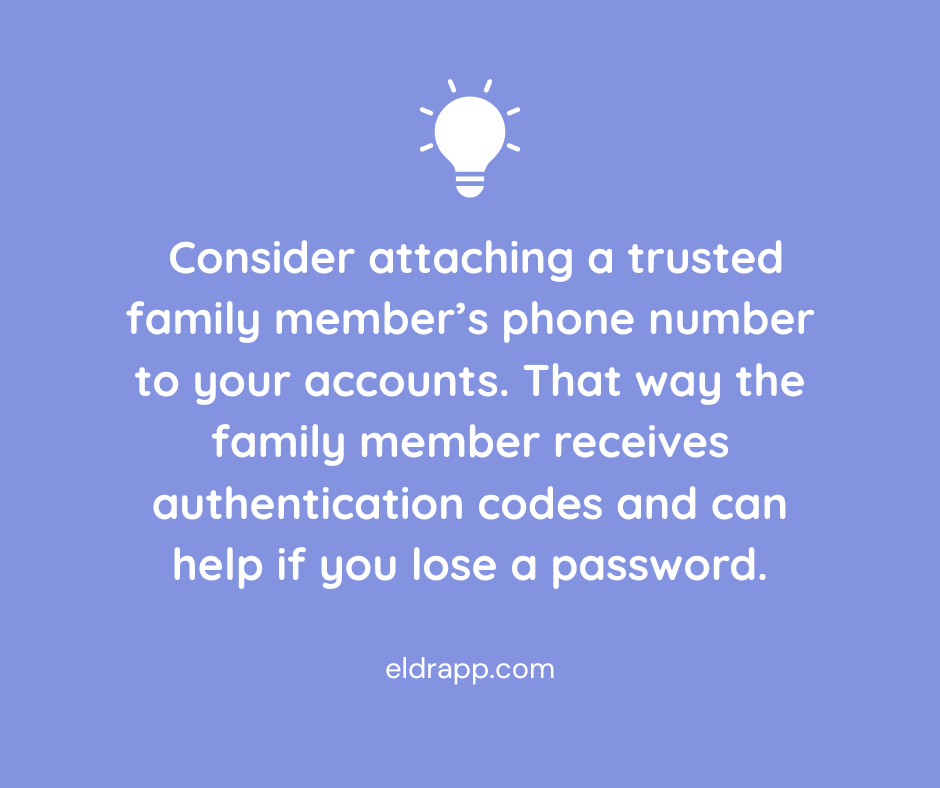
If you or a loved one have trouble managing 2FA, a helpful workaround is to attach a trusted family member’s phone number to your accounts. That way the family member receives authentication codes, reducing the risk of missed security alerts or confusion during account setup.
Apple ID/Google Account ID
If you’re a senior, or anyone really, consider sharing your Apple ID or Google Account ID for Android, with another trusted adult. In addition to setting up 2FA, access to the ID means:
- recovering lost or forgotten passwords; this is more than just convenient, it ensures you won’t be locked out of any email or other important accounts
- keeping devices stay updated with the latest security protections
- locating a lost or stolen device using Find My iPhone/Find my Device
- reviewing apps or subscriptions may be linked to the account, making it easier to cancel anything suspicious or unnecessary.
In any case having shared access to phones and devices means a second set of eyes (and hands) can respond quickly to protect data.
Turn on Email Spam Filters
Be sure spam filters are turned on in your email and then go one step further by marking suspicious emails as spam. This helps your email provider learn to filter better. If a spammer does get through, do not respond as the response confirms your email is active.
Text Messages and Incoming Calls
Text and voice call scams are becoming more common, even bombarding our phones many times in one day, so this topic deserves its own section! Once again these scams are designed to catch us off guard; they might appear to come from a contact we already know or use urgency to get us to click.
Here’s how to combat spam texts:
1. Do not click links or respond to unsolicited text messages.
2. Don’t reply, even if prompted to type STOP—this confirms your number is active and invites more spam.
3. Don’t call any numbers listed in the message – this also confirms your number.
4. If the message claims to be from a real company (like UPS or your bank), go directly to the company’s official website or call the customer service number on your card or statement. Sometimes the official website will even have a warning about the scam posted on their homepage.
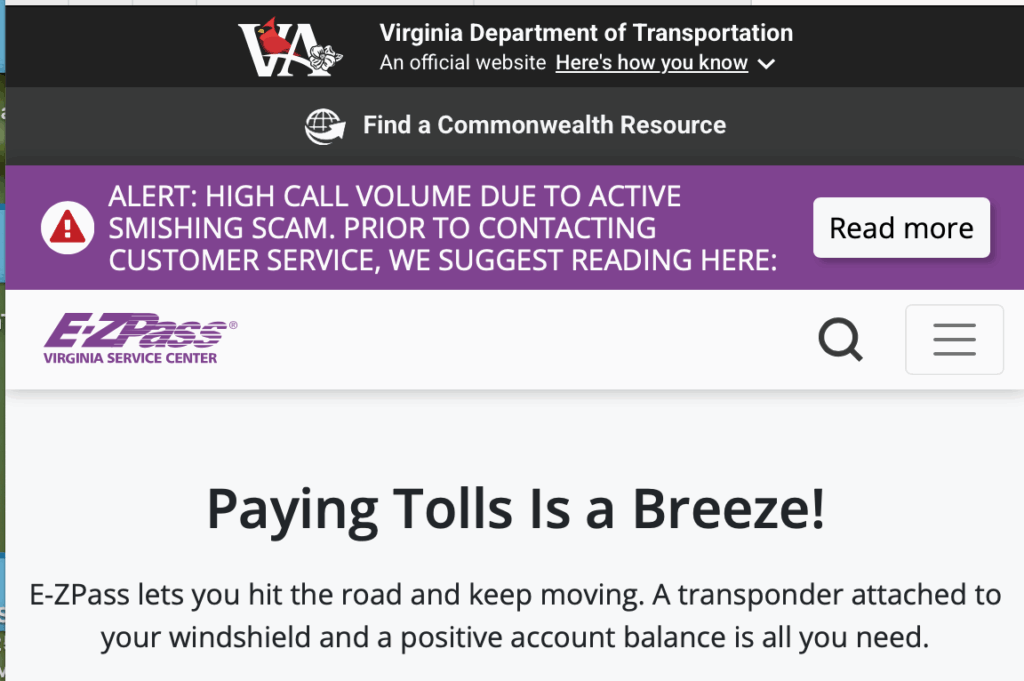
EZ Pass website warning about scam texts 5. Block and report spam texts using your phone’s built-in tools:
- On iPhone: Press and hold the message → Tap “More” → Tap the trash can → Then tap “Report Junk.”
- On Android: Press and hold → Tap the three dots → Select “Report spam” or “Block.”
- Forward spam texts to 7726 (SPAM) – This sends the message to your carrier for investigation.
Here’s how to minimize phone spam:
Both iPhone and Android offer Silence Unknown Callers or Spam Protection options. Here’s how to activate those:
On iPhone:
Go to Settings → Phone → Silence Unknown Callers → Turn it on.On Android:
Go to Phone app → Settings → Caller ID & Spam → Enable Filter spam calls.If you want to take even more aggressive action against spam calls, you can also install apps that offer more advanced call blocking. A few reputable options are Hiya, RoboKiller or CallControl.
Lastly, if someone calls messages asking for money or sensitive info, hang up and call the person on the phone to verify. Scammers have no shame and often impersonate real people.
Social Media and Social Gaming Sites

Scammers use fake accounts and messages to trick users on platforms like Facebook and Instagram as well as through social gaming sites. Stay safe with these reminders:
- Don’t accept friend or message requests from people you don’t know.
- Don’t share birthdays, pet names, or maiden names publicly. If you do, don’t use them in passwords or security questions.
- Be skeptical of messages that sound “off” from people you know; their account could be hacked or a scammer could be posing as them.
Email and Account Passwords
This advice is an oldie but a goodie: Use strong, unique passwords for every account. Mix letters, numbers, and symbols. If you reuse passwords, a hacker who gets one password can access multiple accounts. For sensitive accounts like banking, turn on two-factor authentication (2FA) for an extra layer of security.
The rule of thumb to avoid spam and scams is that if you’re unsure, just don’t click. Instead, contact the company or person directly using a phone number or email you know is legitimate. All official communications will always come from one known number, and you will never ask for passwords or sensitive info via text. Visit the AARP’s Scams & Fraud page for ongoing updates, or to report a suspected scam.