Your cart is currently empty!
Online Safety: A Guide to Avoid Spam and Scams
With the sheer volume of information we receive on our phones and online each day, even the most tech-savvy user might question if that text really did come from Amazon -or if that email even came from a human! Older adults are often targets of fraud not because they’re less capable, but because scammers assume they’re more trusting, financially stable, or less familiar with fast-changing technology.
Whether you’re a senior yourself or you’re helping a loved one navigate technology, here are practical tips to stay secure and in control online.
Avoiding Spam and Scams: Learn the Red Flags
Scammers often try to catch you off guard by creating a false sense of urgency or offering something that seems too good to be true. Whether it comes through email, text message (also known as smishing), or even social media, the tricks they use are often the same. Here are some common scam tactics and phrases to watch out for:
Pressure and Urgency
Scammers want you to act fast—before you have time to think. Watch out for messages that say:
- “Your account will be locked unless you act now.”
- “Final warning: immediate action required.”
- “Unusual activity detected—click to secure your account.”
Too Good to Be True
If it sounds amazing or completely unexpected, it’s likely a scam:
- “You’ve won a prize!”
- “You’ve been selected for a government refund or grant.”
- “Miracle cure available—limited time only!”
Fake Services and Deliveries
These are designed to look like real companies, but the goal is to steal your info:
- “Your package is waiting. Update delivery info here.”
- “Click here to reschedule your delivery.”
- “Confirm your banking info to receive your payment.”
How to Avoid Spam and Scams- What Can You Do?
Go to the source: If you think a communication might be legitimate, you can go to the source to check. For example, if an email says your Netflix account is locked, go directly to Netflix.com—not the link in the email.
Check the link before clicking: Links in emails or texts can lead to fake websites designed to steal your information, but did you know you can check the safety of these links without clicking?
Here’s how:
If you’re using a computer, you can hover the cursor over links. Hovering will show a preview of the web address before clicking, so you can see if the address appears legitimate.
To hover over a link on a smartphone or tablet, press and hold your finger on the link (this is called doing a “long press”). Doing a long press will make a small pop-up appear, showing the full web address.
Delete: And of course, if you don’t recognize the sender or weren’t expecting the message, you can simply delete.
Two Factor Authentication (2FA)
If this sounds high-tech or intimidating, don’t worry, it’s not! Two-factor authentication, (2FA) adds an layer of protection to your accounts, even if someone has your password.
Here’s how it works:
- You log in with your password as usual.
- You’re asked for a second form of proof—usually a code sent to your phone by text, or a pop-up notification.
- Even if a scammer has your password, they can’t access your account without the code on your phone.
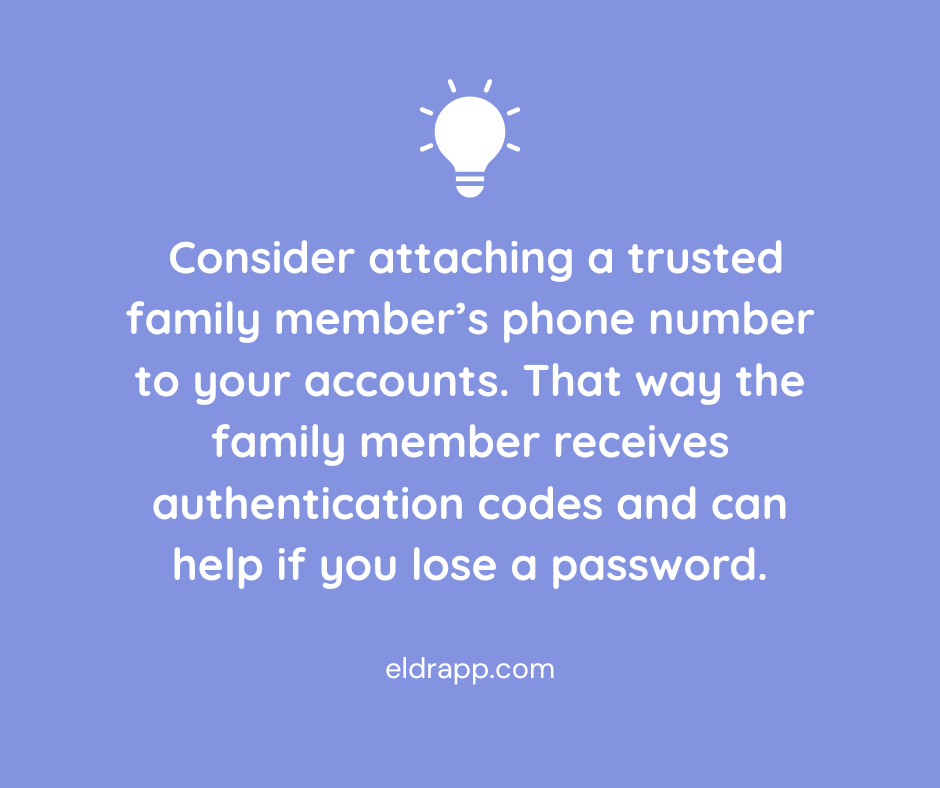
If you or a loved one have trouble managing 2FA, a helpful workaround is to attach a trusted family member’s phone number to your accounts. That way the family member receives authentication codes, reducing the risk of missed security alerts or confusion during account setup.
Apple ID/Google Account ID
If you’re a senior, or anyone really, consider sharing your Apple ID or Google Account ID for Android, with another trusted adult. In addition to setting up 2FA, access to the ID means:
- recovering lost or forgotten passwords; this is more than just convenient, it ensures you won’t be locked out of any email or other important accounts
- keeping devices stay updated with the latest security protections
- locating a lost or stolen device using Find My iPhone/Find my Device
- reviewing apps or subscriptions may be linked to the account, making it easier to cancel anything suspicious or unnecessary.
In any case having shared access to phones and devices means a second set of eyes (and hands) can respond quickly to protect data.
Turn on Email Spam Filters
Be sure spam filters are turned on in your email and then go one step further by marking suspicious emails as spam. This helps your email provider learn to filter better. If a spammer does get through, do not respond as the response confirms your email is active.
Text Messages and Incoming Calls
Text and voice call scams are becoming more common, even bombarding our phones many times in one day, so this topic deserves its own section! Once again these scams are designed to catch us off guard; they might appear to come from a contact we already know or use urgency to get us to click.
Here’s how to combat spam texts:
1. Do not click links or respond to unsolicited text messages.
2. Don’t reply, even if prompted to type STOP—this confirms your number is active and invites more spam.
3. Don’t call any numbers listed in the message – this also confirms your number.
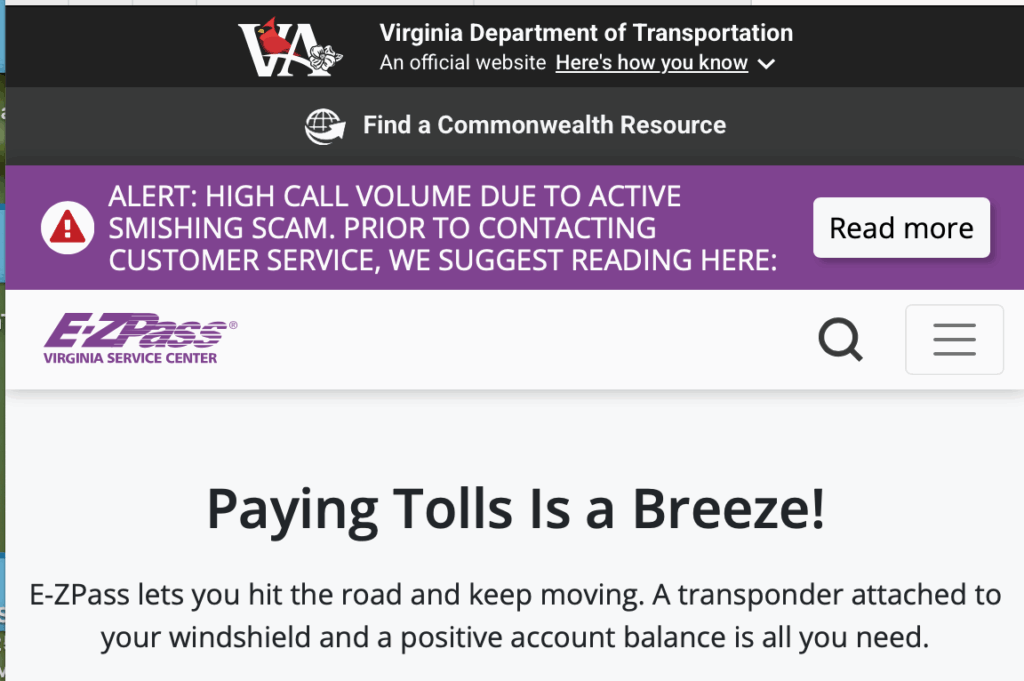
4. If the message claims to be from a real company (like UPS or your bank), go directly to the company’s official website or call the customer service number on your card or statement. Sometimes the official website will even have a warning about the scam posted on their homepage.
5. Block and report spam texts using your phone’s built-in tools:
- On iPhone: Press and hold the message → Tap “More” → Tap the trash can → Then tap “Report Junk.”
- On Android: Press and hold → Tap the three dots → Select “Report spam” or “Block.”
- Forward spam texts to 7726 (SPAM) – This sends the message to your carrier for investigation.
Here’s how to minimize phone spam:
Both iPhone and Android offer Silence Unknown Callers or Spam Protection options. Here’s how to activate those:
On iPhone:
Go to Settings → Phone → Silence Unknown Callers → Turn it on.
On Android:
Go to Phone app → Settings → Caller ID & Spam → Enable Filter spam calls.
If you want to take even more aggressive action against spam calls, you can also install apps that offer more advanced call blocking. A few reputable options are Hiya, RoboKiller or CallControl.
Lastly, if someone calls messages asking for money or sensitive info, hang up and call the person on the phone to verify. Scammers have no shame and often impersonate real people.
Social Media and Social Gaming Sites

Scammers use fake accounts and messages to trick users on platforms like Facebook and Instagram as well as through social gaming sites. Stay safe with these reminders:
- Don’t accept friend or message requests from people you don’t know.
- Don’t share birthdays, pet names, or maiden names publicly. If you do, don’t use them in passwords or security questions.
- Be skeptical of messages that sound “off” from people you know; their account could be hacked or a scammer could be posing as them.
Email and Account Passwords
This advice is an oldie but a goodie: Use strong, unique passwords for every account. Mix letters, numbers, and symbols. If you reuse passwords, a hacker who gets one password can access multiple accounts. For sensitive accounts like banking, turn on two-factor authentication (2FA) for an extra layer of security.
The rule of thumb to avoid spam and scams is that if you’re unsure, just don’t click. Instead, contact the company or person directly using a phone number or email you know is legitimate. All official communications will always come from one known number, and you will never ask for passwords or sensitive info via text. Visit the AARP’s Scams & Fraud page for ongoing updates, or to report a suspected scam.
Leave a Reply